NoxGrid
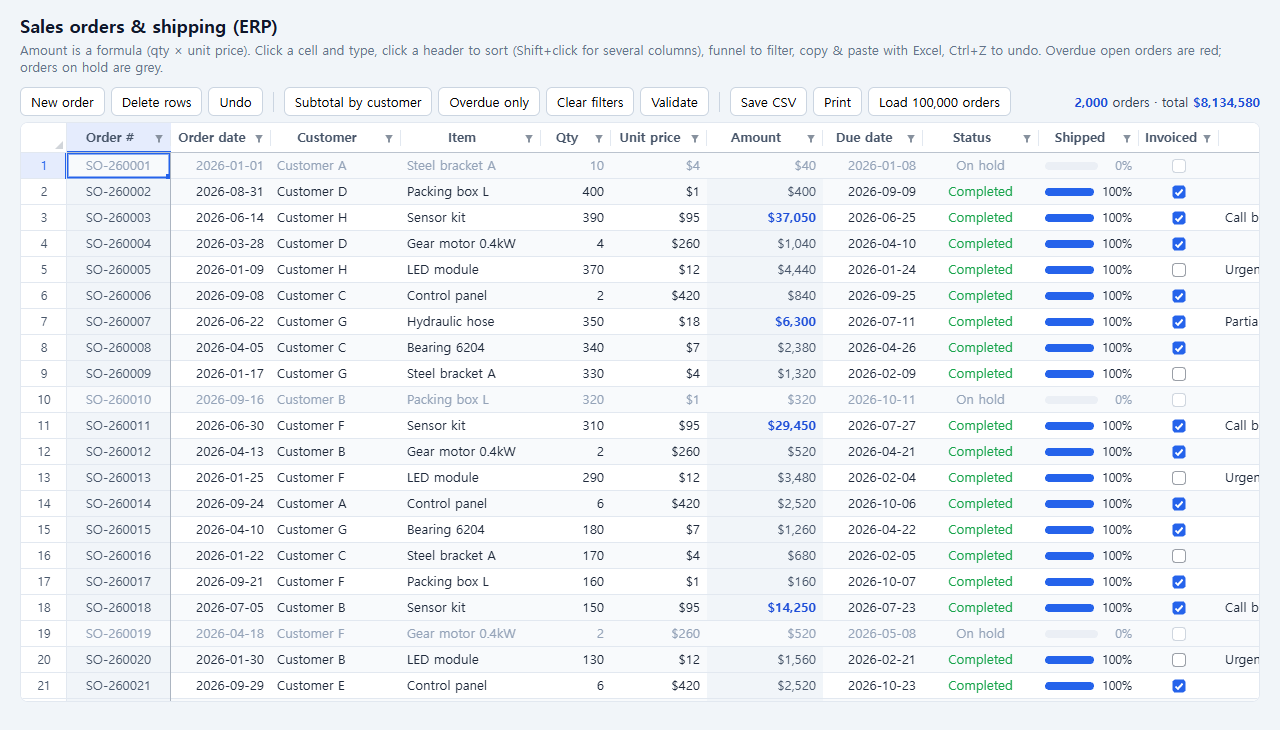
A custom-drawn grid and spreadsheet component. Desktop (WinForms) and web (TypeScript) editions share the same core features and names; the differences are listed in Desktop, web and server.
| Edition | Package | Target |
|---|---|---|
| Desktop | NuGet Nox.Grid |
WinForms on .NET Framework 4.7.2+, VB.NET and C#, Visual Studio designer |
| Web | npm @novnox/grid (+ @novnox/grid-react, @novnox/grid-vue) |
All modern browsers; plain HTML, React, Vue, Angular, Blazor. Best for spreadsheet-style entry, report and list screens |
| Server | NuGet Nox.Grid.Server |
.NET Standard 2.0 (ASP.NET Core, .NET 8, …): Excel/CSV ↔ web grid |
What it does
- Large data: draws only the visible cells, so 100,000 to 1,000,000 rows scroll smoothly
- Editing: nine column kinds (text, number, date, check, combo, button, label, image, progress), IME input, copy and paste with Excel, undo
- Spreadsheet: Excel-style formulas (129 functions, cross-sheet references), multiple sheets, merged cells, cell formatting, conditional formatting, validation, row groups and subtotals
- Data: multi-column sort, filters, find and replace, Excel (.xlsx) and CSV import/export without third-party libraries, printing
- Look: 13 color schemes (including a modern family and the Nox signature scheme), alternating rows, read-only colors, accent color
- Desktop designer: toolbox, smart tags, the NoxGrid designer window (live preview plus columns, appearance and behavior)
- Languages: the grid's own UI text is available in Korean and English
License
NoxGrid 1.x is free for everyone, including companies - no time limit, commercial use allowed. Get a free license key at novnox.dev/license.
Next
Getting started: install and the first screen
Coding guide: common tasks side by side in VB.NET, C# and TypeScript
Formulas: syntax and the function list
Korean documentation: 한국어 설명서
Contact: [email protected] · novnox.dev