시작하기
데스크톱 (WinForms)
1. 설치
| 방법 | 절차 |
|---|---|
| NuGet | 프로젝트 → NuGet 패키지 관리 → Nox.Grid 설치 → 빌드 |
| DLL | Nox.Grid.dll, Nox.Grid.WinForms.dll, Nox.Grid.Design.dll 세 개를 같은 폴더에 두고 모두 참조 |
- 대상: .NET Framework 4.7.2 이상 WinForms 프로젝트 (VB.NET·C#)
Nox.Grid.Design.dll은 Visual Studio 디자이너용이다. 응용 프로그램과 함께 배포하지 않는다 (사용권 4조 2항). 배포 안내 참고.
2. 도구 상자에서 폼에 놓기
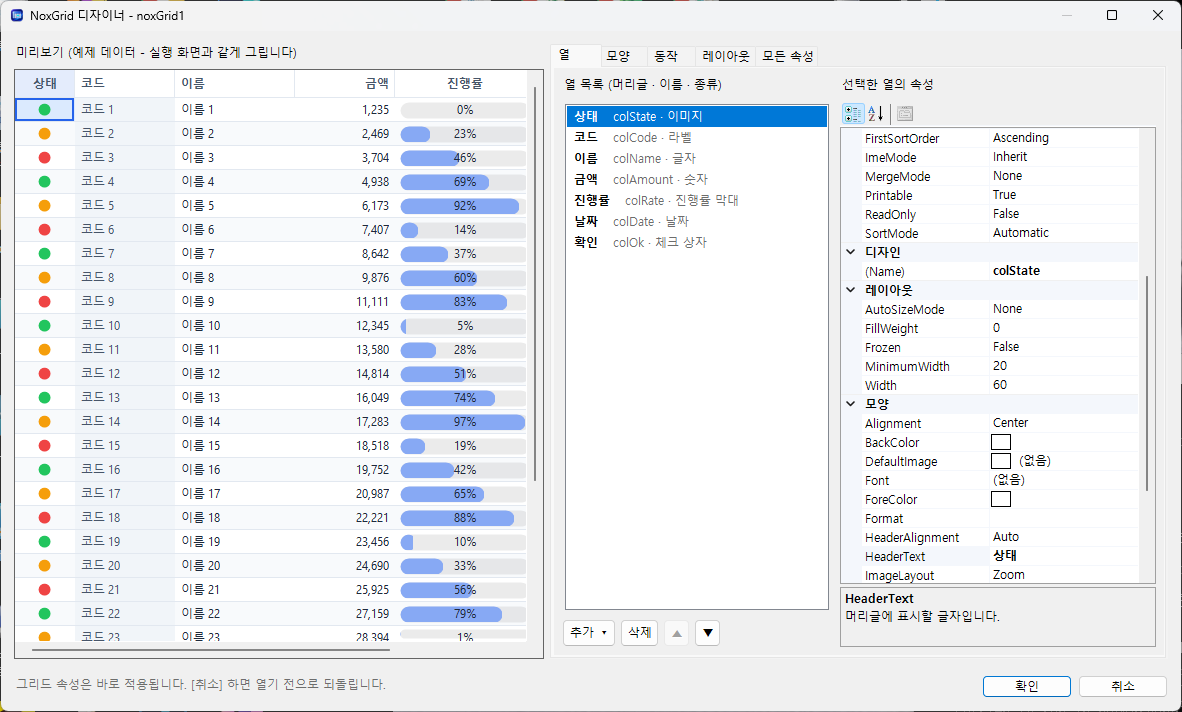
빌드하면 도구 상자에 NoxGrid·NoxGridBook 이 나타난다. 폼에 놓고 스마트 태그(▸) → NoxGrid 디자이너... 에서 열·모양·동작을 정한다.
3. 코드
NoxGrid1.Rows.Add("S00001", "홍길동", Date.Today, 1500D)
NoxGrid1.Cells(0, "colName").BackColor = Color.Gold
NoxGrid1.SetFormula(5, "colAmount", "=SUM(D1:D5)")
NoxGrid1.ExportToExcel("결과.xlsx")
웹
1. 설치
npm install @novnox/grid # React: @novnox/grid-react, Vue: @novnox/grid-vue
빌드 도구 없이 쓰려면 nox-grid.iife.js 하나를 넣는다 (window.NoxGrid, window.NoxGridBook, window.NoxFormula).
<script src="nox-grid.iife.js"></script>
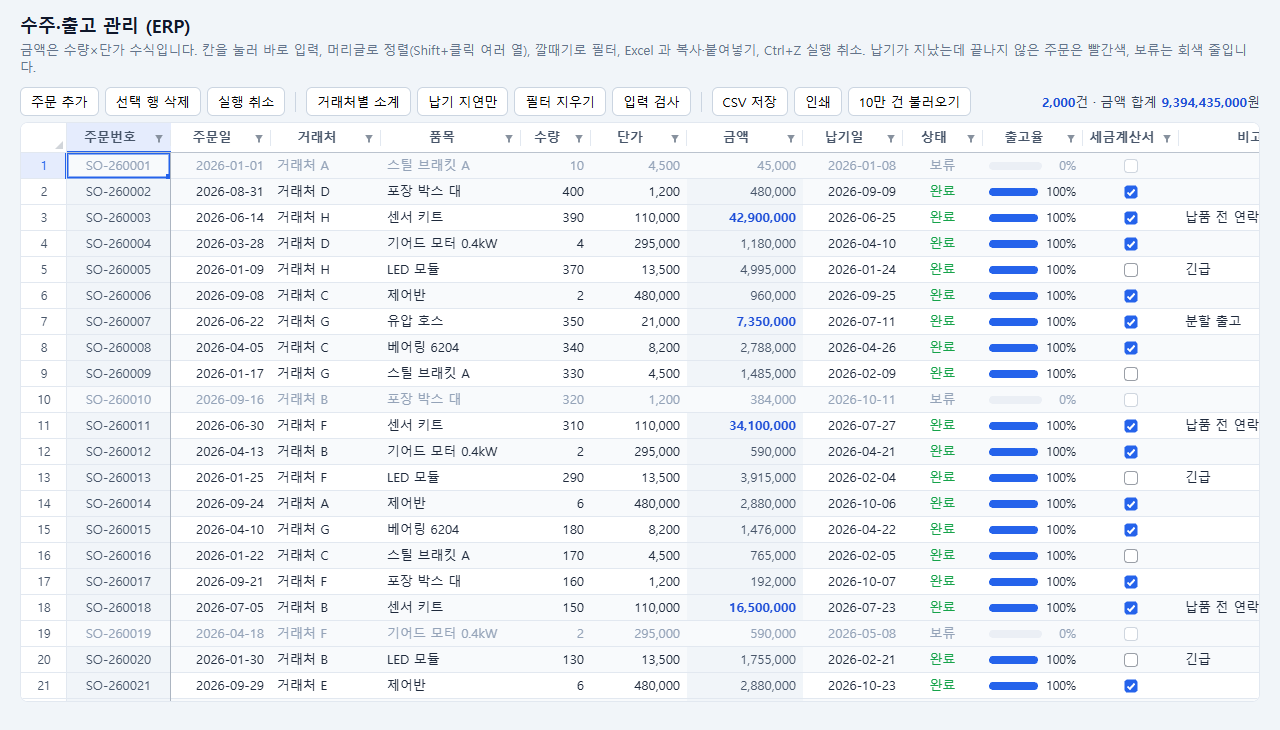
2. 첫 화면
그리드를 넣을 요소에는 높이가 있어야 한다.
<div id="grid" style="height: 500px"></div>
import { NoxGrid } from '@novnox/grid';

const grid = new NoxGrid(document.getElementById('grid')!, {
  colorScheme: 'modern',
  rowCount: 100,
  columns: [
    { name: 'name', header: '이름', required: true },
    { name: 'dept', header: '부서', kind: 'combo', items: ['내과', '외과'] },
    { name: 'fee', header: '금액', kind: 'number', format: '#,##0' },
  ],
});
grid.setValue(0, 'name', '홍길동');
grid.setFormula(99, 'fee', '=SUM(C1:C99)');
서버 (ASP.NET Core)
dotnet add package Nox.Grid.Server
app.MapPost("/api/import", (IFormFile file) => Results.Ok(NoxExcel.Read(file.OpenReadStream()))).DisableAntiforgery();
app.MapPost("/api/export", (NoxWorkbookData b) => Results.File(NoxExcel.ToBytes(b), NoxExcel.ContentType, "grid.xlsx"));
매개변수 이름 file 은 브라우저가 보내는 폼 필드 이름(form.append('file', …))과 같아야 한다.
브라우저에서는 grid.loadWorkbookData(json) 으로 받고 grid.toWorkbookData() 로 보낸다. 자세한 내용은 서버.
사용권 키 (무료)
NoxGrid 1.x 는 개인·회사 모두 무료입니다 (기간 제한 없음, 상업적 이용 가능). novnox.dev/ko/license 에서 이름과 메일을 넣으면 키가 바로 나옵니다.
| 판 | 등록 |
|---|---|
| 데스크톱 | 폼의 NoxGrid 스마트 태그 → 사용권 키 등록... 에 붙여 넣기 (개발 컴퓨터마다 한 번). 코드로는 시작할 때 NoxLicense.SetKey(키): 실행하는 동안만 쓰고 저장하지 않음. NoxLicense.Register(키) 는 스마트 태그처럼 그 컴퓨터에 저장 |
| 웹 | import { setLicenseKey } from '@novnox/grid'; setLicenseKey(키); 키를 받을 때 도메인을 적으면 그 도메인에서만 유효 |
키가 없어도 프로그램은 그대로 동작합니다. 데스크톱은 디자이너에서만, 웹은 개발 주소(localhost)가 아닌 사이트에서만 작은 안내가 보입니다.
예제
| 예제 | 위치 |
|---|---|
| VB.NET WinForms (VS2019 이상) - 수주 관리 | samples/Demo |
| 웹 - 접수 목록, 서식·수식, 통합 문서·소계 | web/examples/index.html, features.html, book.html |
| React · Vue | web/examples/react.html, vue.html |
| ASP.NET Core (Excel·CSV) | samples/AspNetCore (dotnet run → http://localhost:5099) |